| Welcome back to Art Piece 👋
Another week, another tip, and another free Photoshop tool you can use to improve and inspire your digital creations. | Let’s dive in 🙌 | | | | | Today’s Tip: | Don’t Choose Just Any Font, Choose the Perfect Font | Insight from Adobe | The right font can bring your design project to life. The wrong font can make it look unprofessional at best and wonky at worst. | Fortunately, designers — especially those who use Photoshop — have more options than ever. And by options, we mean 20,000+. | Here are the quick and simple steps to adding fonts to Photoshop: | Download it: Find your desired font and download it, ensuring it’s a TTF or OTF file.
Install it: Double-click the font file to open the Font Book app, then click "Install Font."
Select it: In Photoshop, use the Horizontal Text tool to choose where you want to type and pick the font from the text menu.
Type it: Use the Type tool to type out your text and modify it as needed.
| Tip: MacOS and Windows require different steps for adding fonts — the above will point you in the right direction. | Use today’s free tool to add hundreds of high-quality fonts categorized into 17 typefaces👇 |
| |
| | |
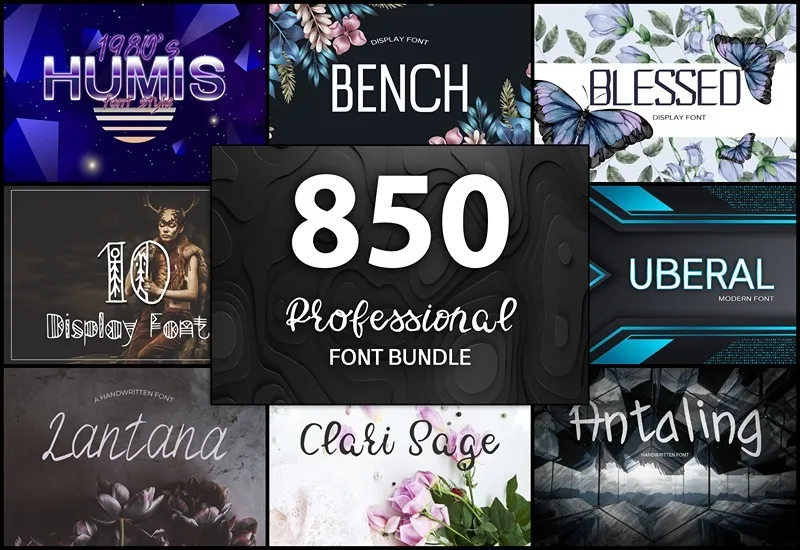
| | | | | Today’s Free Tool: | | | Logos. Presentations. Business cards. Social media graphics. (And more). | All of these design projects share a common goal: they use compelling words to engage and captivate their intended audience. | The Supermassive Bundle Of 850 Professional Fonts makes finding the right font a breeze. Here’s what you get: | 850 high-quality fonts in 17 typefaces Multiple styles and designs (ligatures, alternates, punctuation, etc.) Precisely kerned for use in small web artwork to large print materials Commercial license
| With this bundle, you’ll never again struggle to find the perfect font for your project. | |
| |
| | |
| | | | | That’s all for this week! | Tune in again next Monday for another set of free tips and tools. |
| |
| | |
| What did you think of today's free tool?Let us know what kinds of tools and content you'd like to see in future newsletters! | | Photo of the Week | |
|