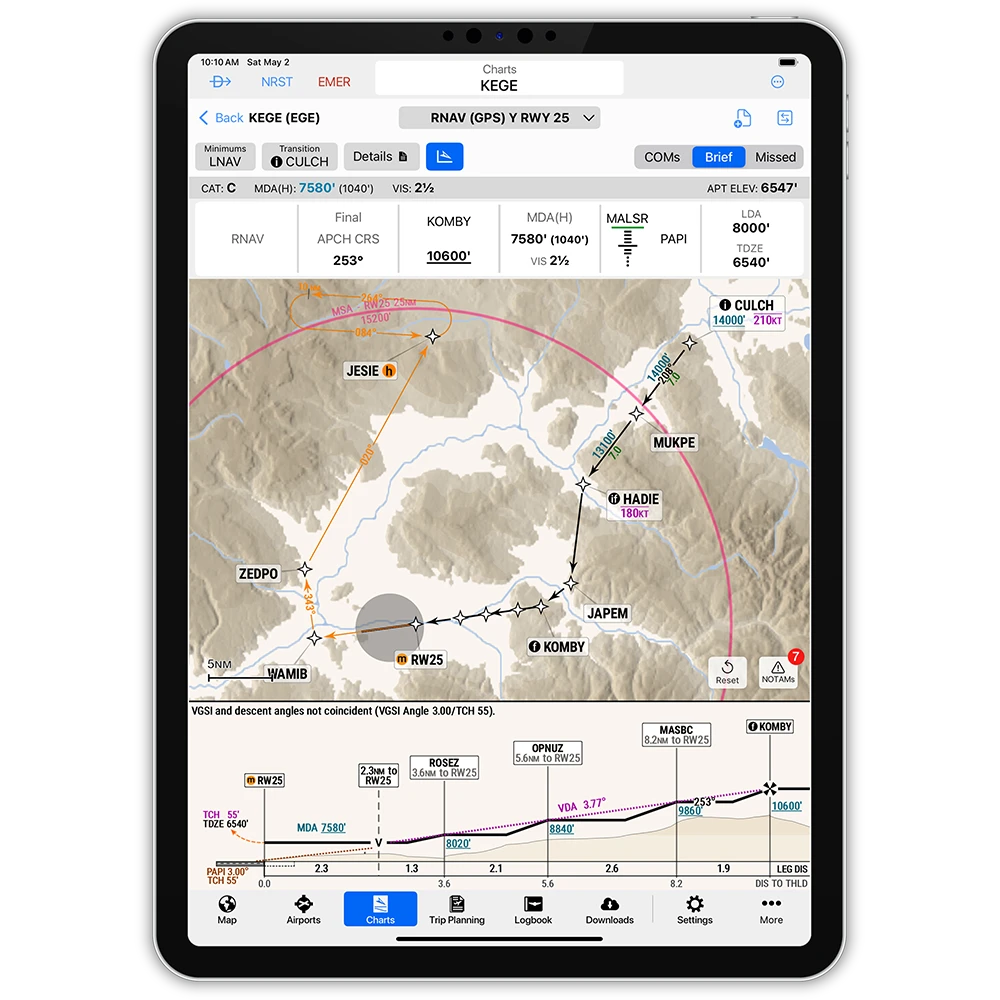
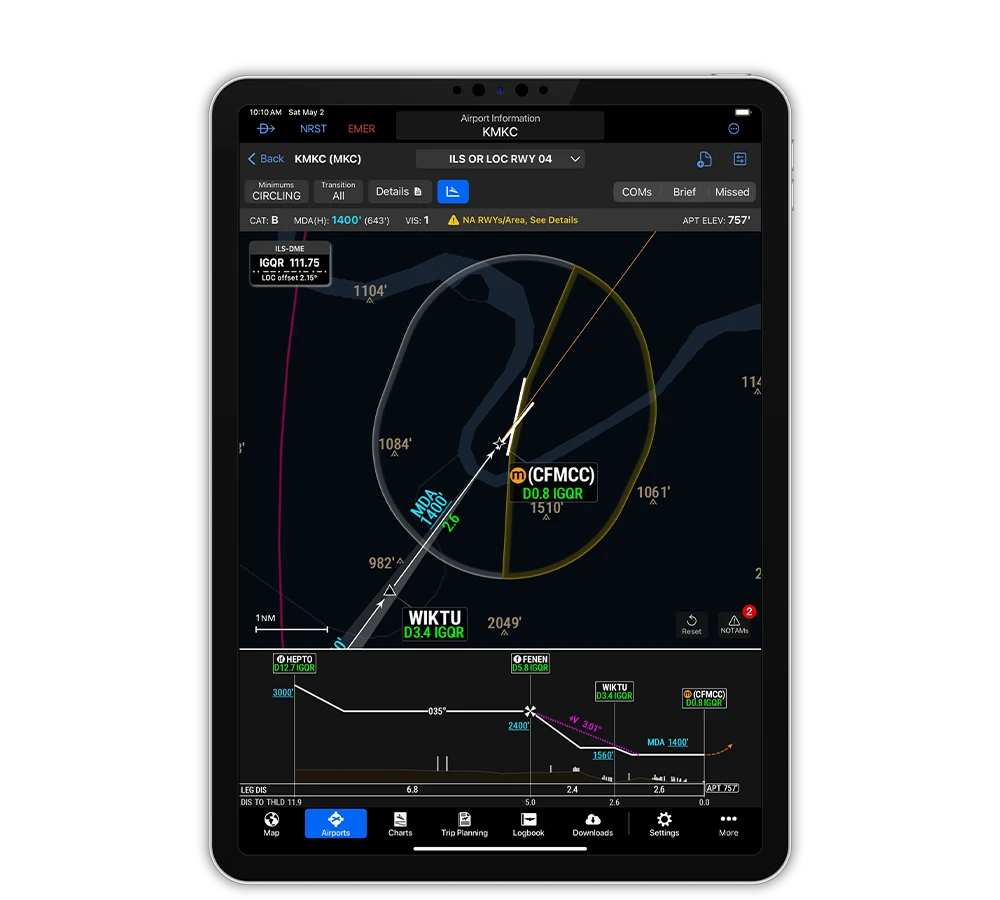
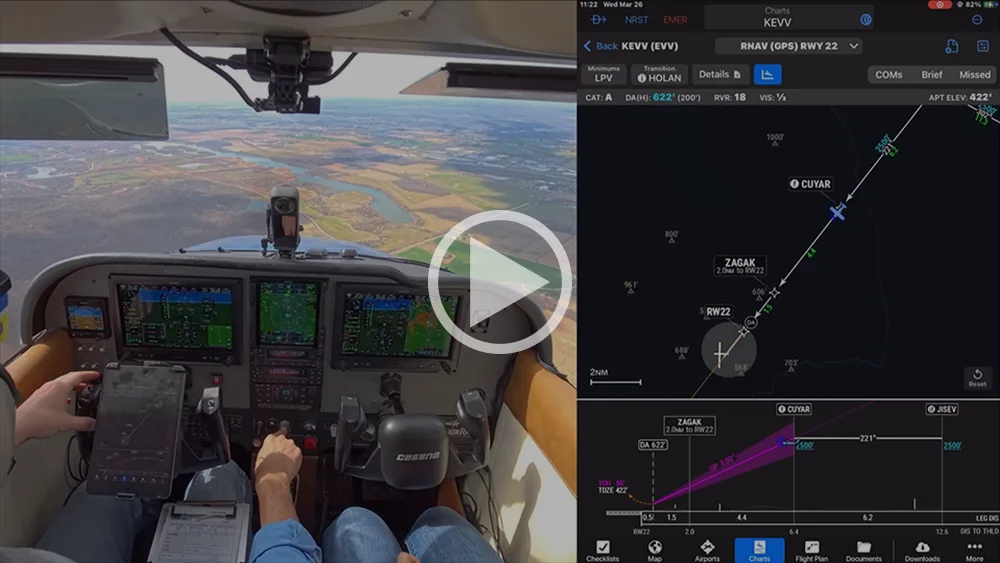
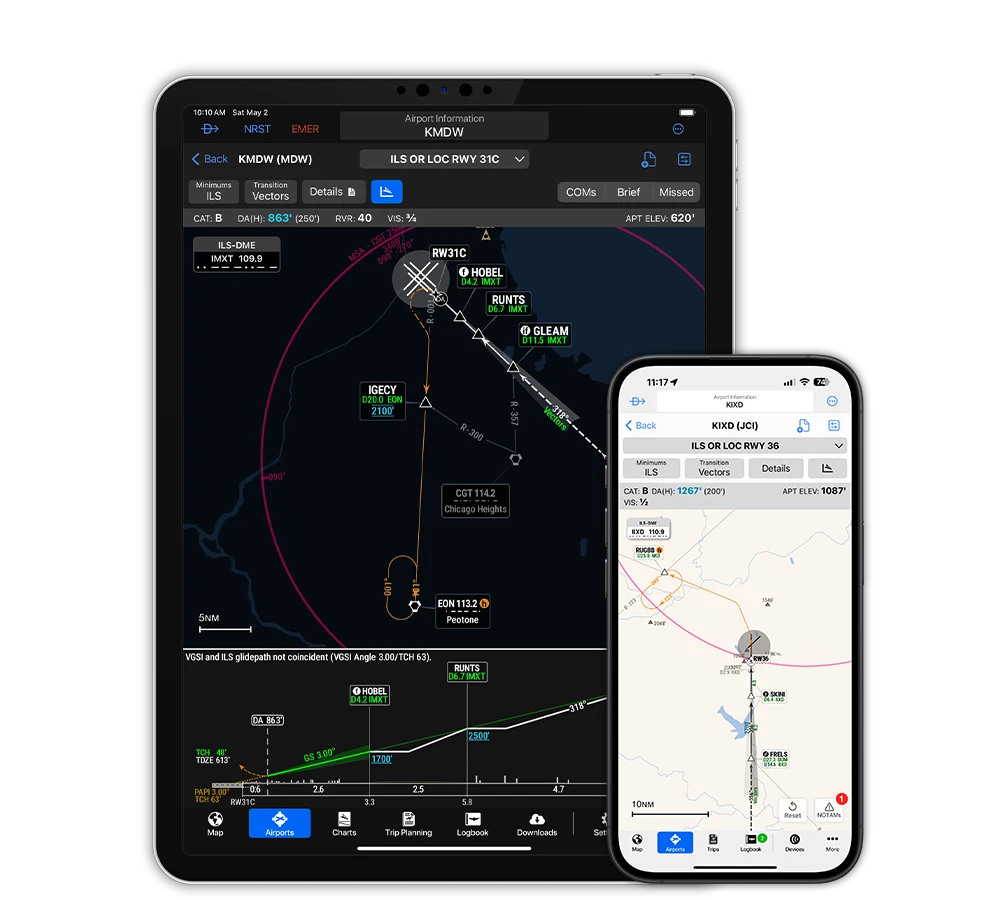
With SmartCharts — available for the Garmin Pilot™ Premium app for iOS — you’ll streamline approach charts to show only information you need for your flight. And you’ll see diagrams with greater clarity to enhance your situational awareness at unfamiliar airports.
Reduce approach-plate clutter by selecting your transition, so it’s the only routing you see. Easily find your destination COMM frequencies, access a briefing guide for your approach, and display your missed approach procedure with intuitive taps.
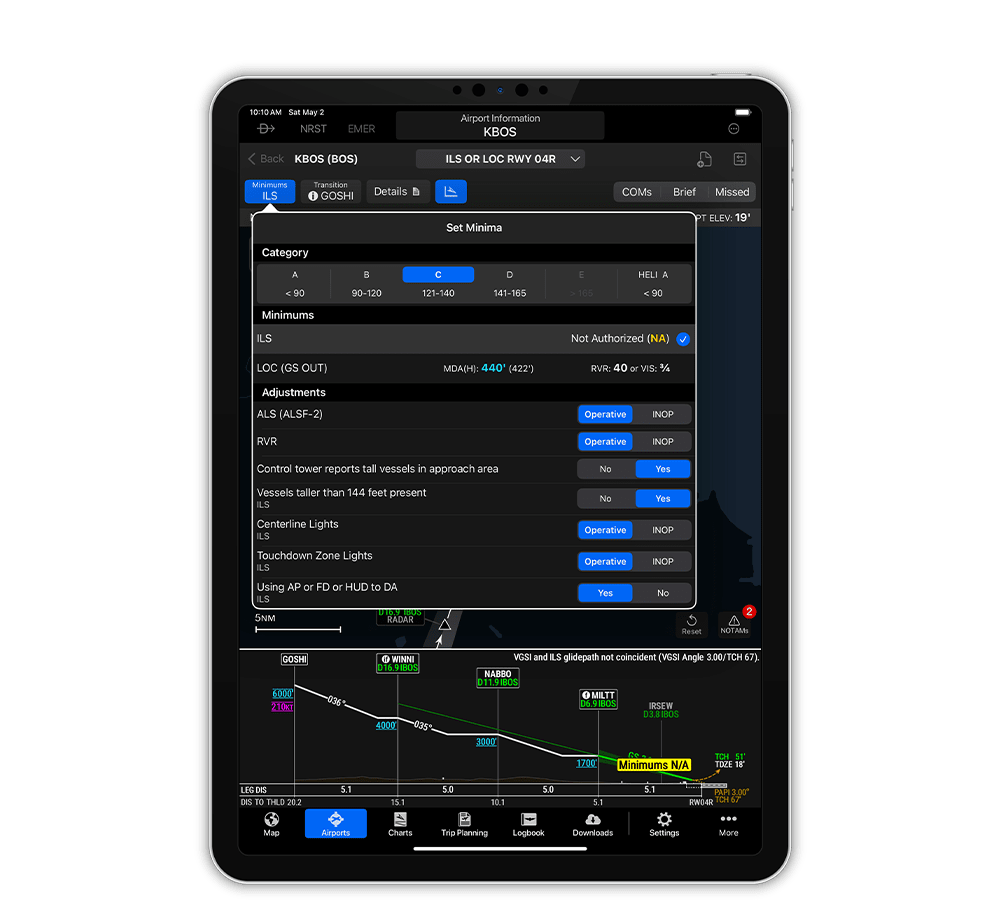
SET YOUR APPROACH MINIMUMS
Choose your approach speed and select the minima and adjustments that are relevant to you. SmartCharts automatically calculates the minimums for your approach — then displays a georeferenced profile view of your descent that shows terrain and obstacles.
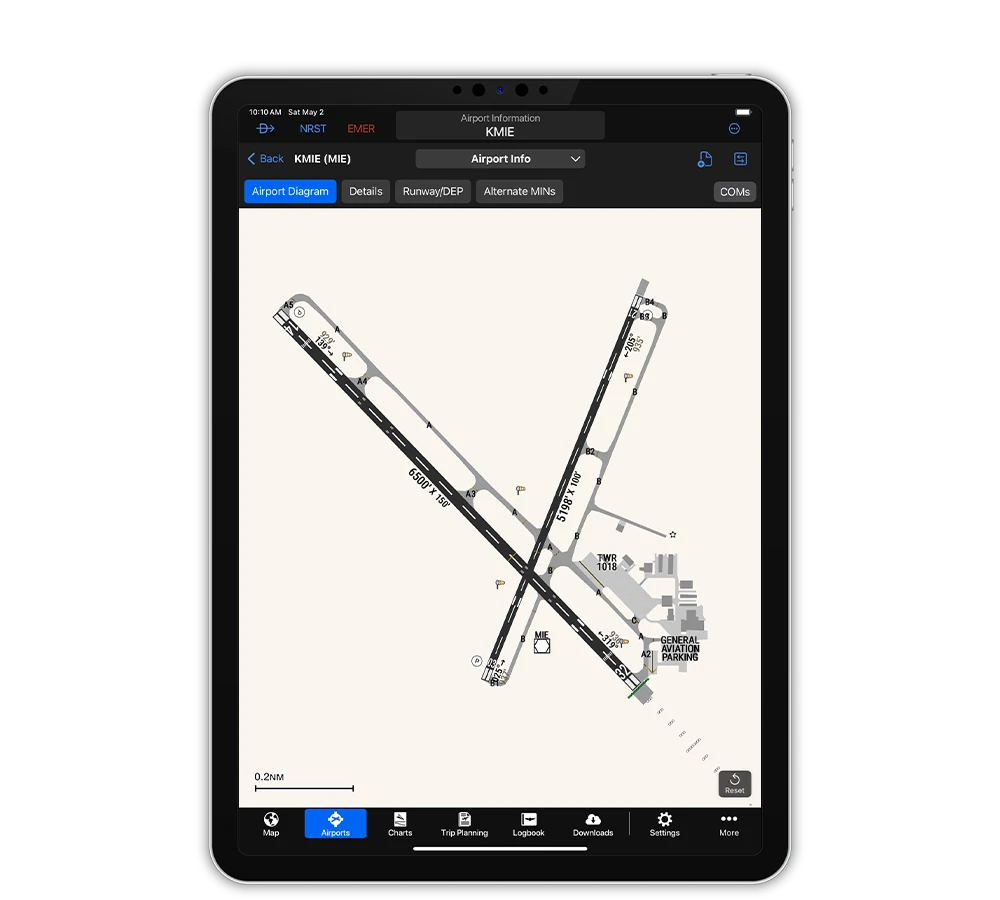
VIEW ENHANCED AIRPORT DIAGRAMS
See airport diagrams with greater clarity — including your georeferenced position on the airport, instrument lighting, windsock location and more. Plus, quickly find runway information, selectable alternative minima and COMM frequencies for your departure or arrival.
FLY WITH SMARTCHARTS
Join Garmin ambassador Josh Flowers for an in-flight demo of SmartCharts to see how you can simplify your instrument flights.